

Create product videos and help articles
in minutes with AI

Create product videos and help articles in minutes with AI

Turn raw screen recordings into narrated product videos and step-by-step help articles.
AI cleans up the video, adds voiceover, and writes the documentation.

Turn raw screen recordings into narrated product videos and step-by-step help articles.
AI cleans up the video, adds voiceover, and writes the documentation.

How it works

From recording 


to wow

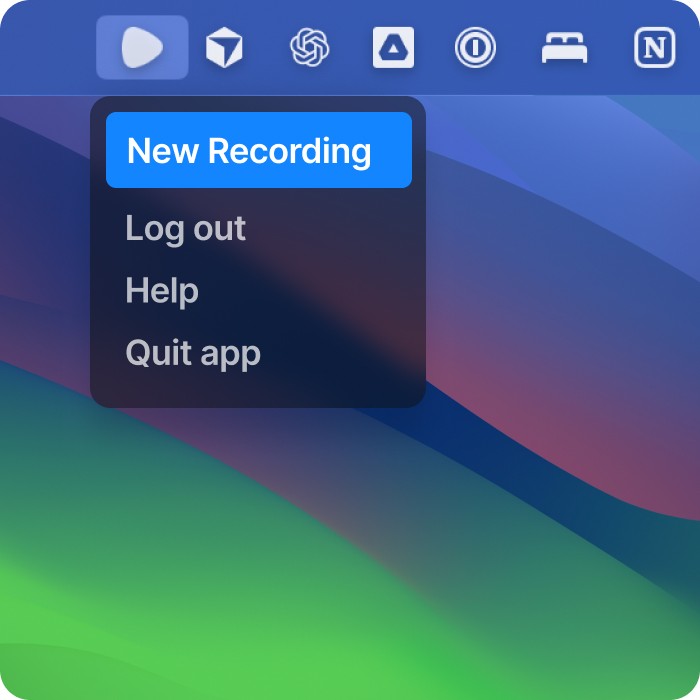
1. Record your screen

Click, type, and walk through your product naturally. Clevera captures the full flow and the moments that matter.

SOUND ON

SOUND ON

SOUND ON

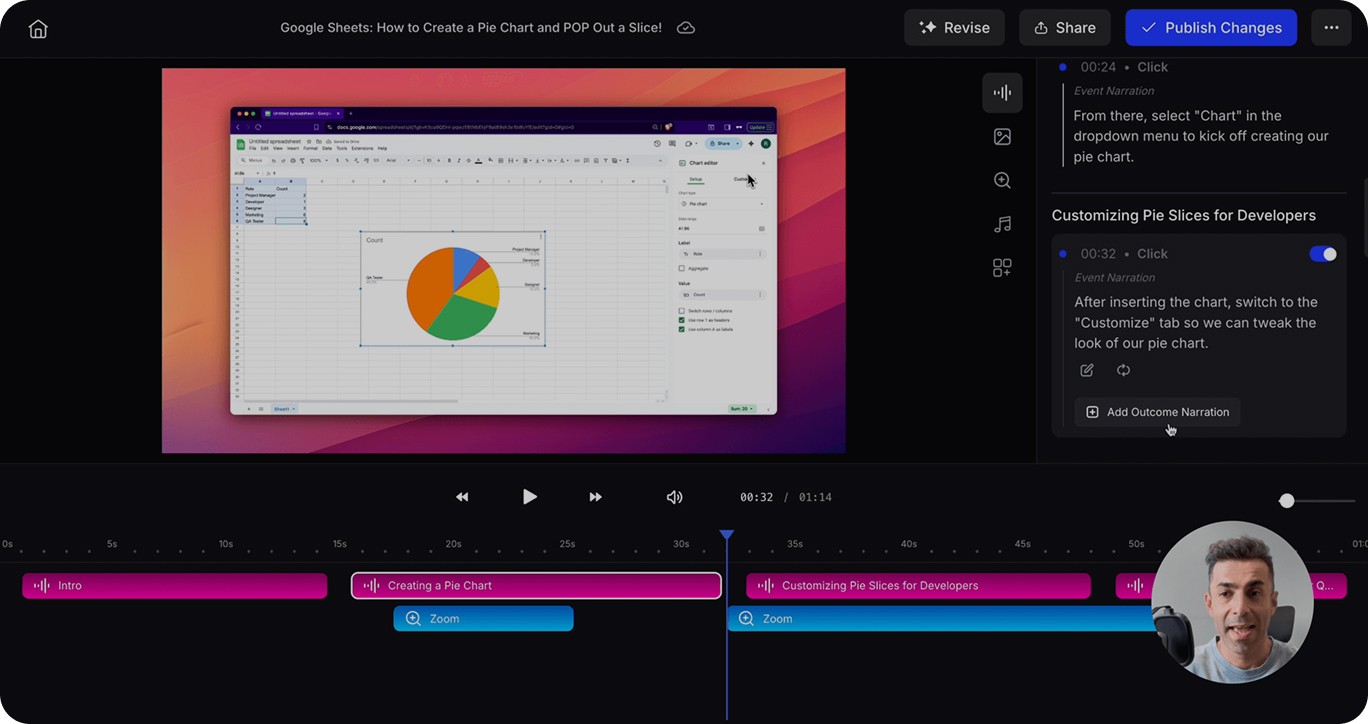
2. AI creates a narrated video

AI removes mistakes, writes a clear voiceover, and turns the recording into a polished product video.
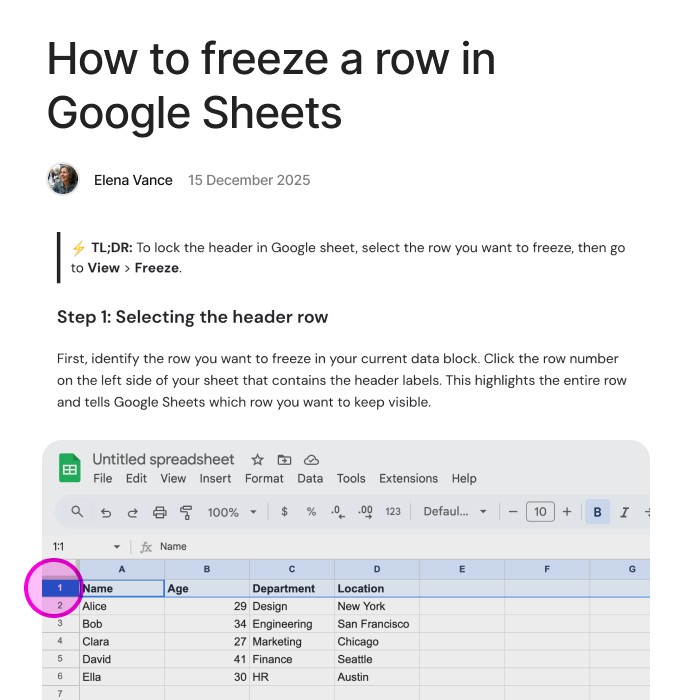
3. AI writes a detailed article

The same recording becomes a step by step article with screenshots and clean formatting, ready for your help center.

Share

Publish anywhere and stay up to date

Update instantly

Edit the video or article, and every embed updates automatically. No re-exports, no broken links, no republishing across your site.
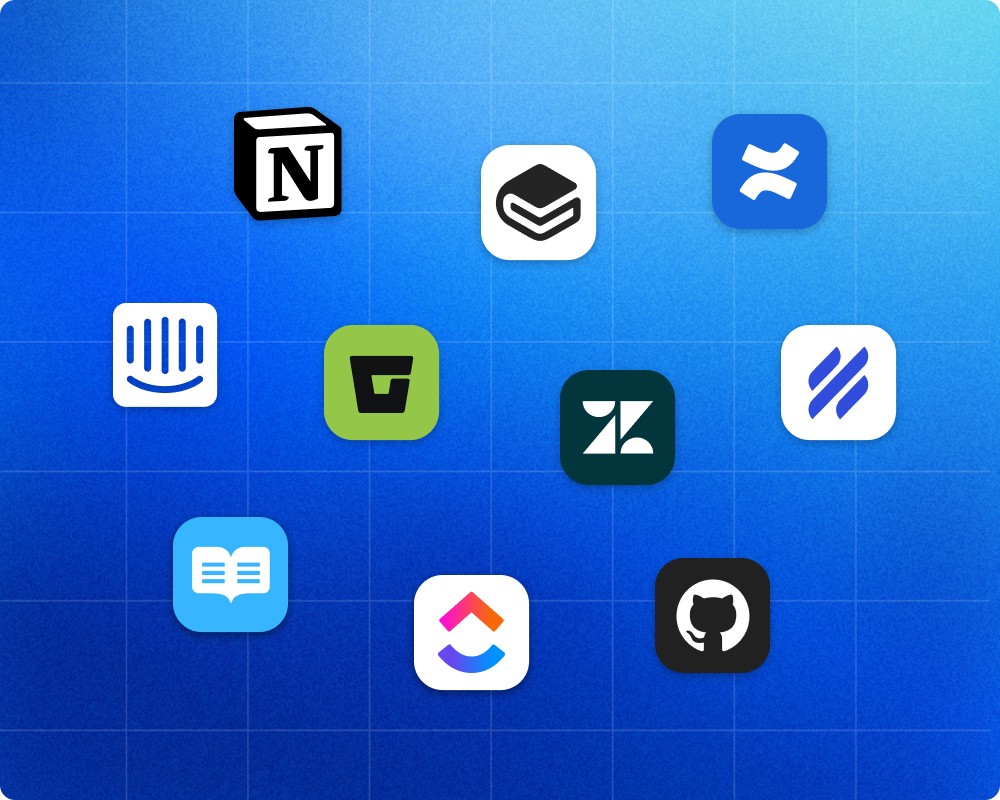
Publish to your tools

Embed videos and articles across popular help centers, documentation tools, and websites without changing your workflow.

Impact

Ship videos 10x faster.
Up to 80% lower cost.

Video

5-10 min

time to produce a 5 minute video tutorial with Clevera

Video

1-3 min

time to write a detailed documentation with Clevera

Video

1-2 min

time to translate video and article to other languages

Real examples

See the magic
in action

Startups

Create a sharp demo that highlights your product’s killer feature, perfect for pitching or onboarding early users.

Customer success team

Build engaging onboarding videos that get your customers using your product like pros.

Support team

Produce step-by-step help videos that solve your customers’ real issues with your product.

Internal employee training

Turn complex internal processes into simple, watchable training videos for your team.

Content creators and YouTubers

Craft standout tutorials or demos for your own creations, perfect for your audience.

Solopreneurs and indie hackers

Make a quick, pro-grade demo that sells your solo-built product to the world.

Startups

Create a sharp demo that highlights your product’s killer feature, perfect for pitching or onboarding early users.

Customer success team

Build engaging onboarding videos that get your customers using your product like pros.

Support team

Produce step-by-step help videos that solve your customers’ real issues with your product.

Internal employee training

Turn complex internal processes into simple, watchable training videos for your team.

Content creators and YouTubers

Craft standout tutorials or demos for your own creations, perfect for your audience.

Solopreneurs and indie hackers

Make a quick, pro-grade demo that sells your solo-built product to the world.

Startups

Create a sharp demo that highlights your product’s killer feature, perfect for pitching or onboarding early users.

Customer success team

Build engaging onboarding videos that get your customers using your product like pros.

Support team

Produce step-by-step help videos that solve your customers’ real issues with your product.

Internal employee training

Turn complex internal processes into simple, watchable training videos for your team.

Content creators and YouTubers

Craft standout tutorials or demos for your own creations, perfect for your audience.

Solopreneurs and indie hackers

Make a quick, pro-grade demo that sells your solo-built product to the world.

Consistency

On-brand

and multilingual

SOUND ON

SOUND ON

SOUND ON

Human-like AI voice

Pick from hundreds of advanced AI voices that are emotionally & contextually aware. Clevera is an AI voiceover tutorial creator that sounds human, not robotic.

SOUND ON

SOUND ON

SOUND ON

Set the right tone

Flip the vibe of your narration in one click. Go casual, persuasive, or crystal-clear professional.

SOUND ON

SOUND ON

SOUND ON

Translate to 24 languages

Translate your script and narration into 23 languages in minutes.
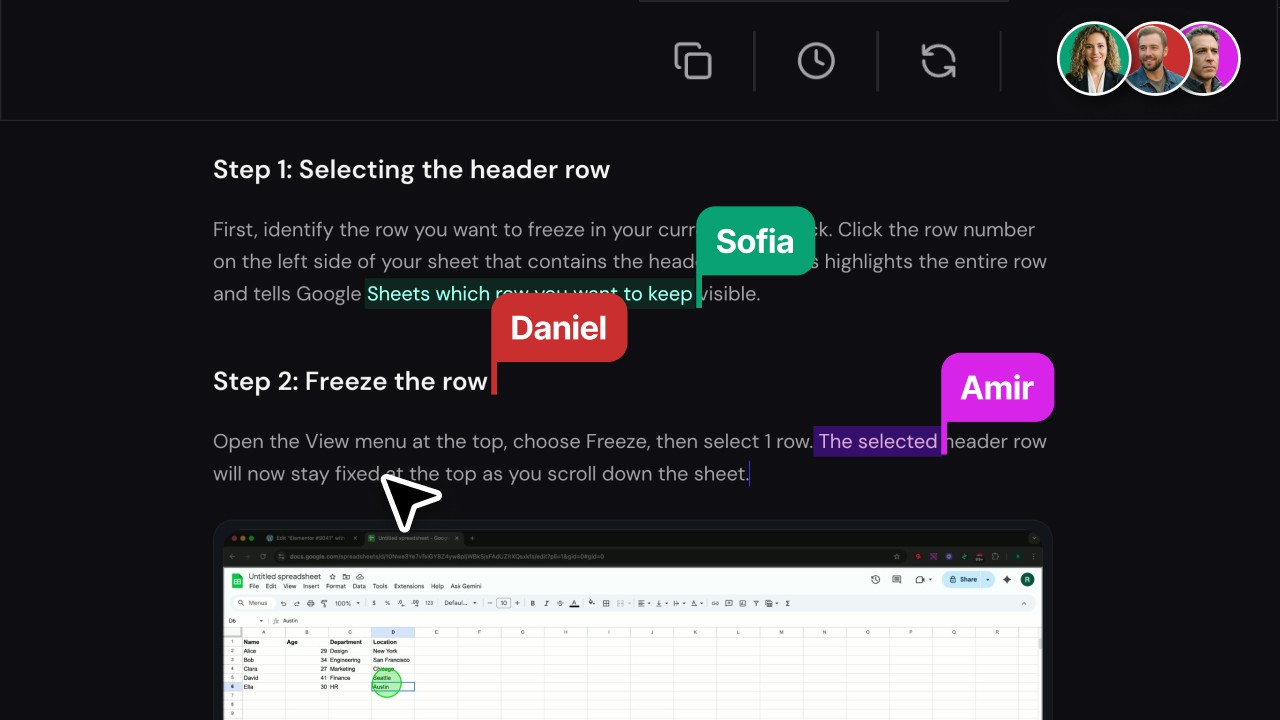
Built for collaboration

Create videos and help articles together in real time. Invite teammates, control access levels, and keep everyone in sync as you work.
A powerful editor for modern docs

Edit articles in a Notion-like editor, rewrite sections with AI, and enrich your content with images, videos, callouts, and warnings. Everything stays in one smooth, focused writing flow.

Automation

Produce videos
at scale

Turn your entire knowledge base into video in hours, not months. Our agentic AI handles narration, zooms, and edits so you can focus on your product.

Rewrite with AI

AI agents craft flawless narration for your video. Don’t like a line? Ask for a rewrite in seconds.

Smart zooms

AI automatically trims pauses and mistakes, adds smart zooms, and makes your video ready to go live.

Blur/Mask

Hide sensitive data instantly with one click. Keep your videos clean and secure.

Highlights & callouts

Direct attention to fields, clicks, and key interface elements. All within a smarter AI product demo tool that showcases your product perfectly.

Rewrite with AI

AI agents craft flawless narration for your video. Don’t like a line? Ask for a rewrite in seconds.

Smart zooms

AI automatically trims pauses and mistakes, adds smart zooms, and makes your video ready to go live.

Blur/Mask

Hide sensitive data instantly with one click. Keep your videos clean and secure.

Highlights & callouts

Direct attention to fields, clicks, and key interface elements. All within a smarter AI product demo tool that showcases your product perfectly.

Rewrite with AI

AI agents craft flawless narration for your video. Don’t like a line? Ask for a rewrite in seconds.

Smart zooms

AI automatically trims pauses and mistakes, adds smart zooms, and makes your video ready to go live.

Blur/Mask

Hide sensitive data instantly with one click. Keep your videos clean and secure.

Highlights & callouts

Direct attention to fields, clicks, and key interface elements. All within a smarter AI product demo tool that showcases your product perfectly.

Enterprise-ready

Security first

Your product tutorials are protected with

enterprise-grade infrastructure, encryption, and transparent practices.

Your product tutorials are protected with

enterprise-grade infrastructure, encryption, and transparent practices.

Your product tutorials are protected with

enterprise-grade infrastructure, encryption, and transparent practices.

Data storage on AWS

All customer data is securely hosted on AWS.

Roles & permissions

Assign Administrator, Editor, or Viewer access for safer team collaboration.

Incident transparency

Proactive disclosure via email and public status page

Encryption everywhere

Data encrypted at rest and in transit.

Audit logs & activity reports

Track edits, exports, and logins, with reports available on request.

Security trust page

A dedicated hub to keep customers informed.

Clear retention policy

Data deleted within 90 days of account closure.

Data deletion on demand

Documented policy with manual deletion and written confirmation.

FAQ

How does Clevera keep videos in sync with product changes?

Clevera videos are live assets. When you edit the script or settings, the voiceover, timing, and visuals re-render automatically. Anywhere the video is embedded or shared by link will show the latest version. No new links or re-exports.
Note: MP4 exports are static and won’t auto-update. For more info check our guides here.

What languages and TTS options are supported?

We support 23 languages: English (US/UK), Hindi, Spanish, French, Arabic, Bengali, Portuguese, Russian, Indonesian, German, Japanese, Korean, Vietnamese, Turkish, Thai, Italian, Polish, Ukrainian, Romanian, Dutch, Telugu, Tamil, and Marathi.
Choose from multiple professional voices and tones. Clevera uses leading TTS engines (OpenAI, Google/Gemini, 11Labs) under the hood.

How are data and recordings stored?

All customer data runs on AWS. Recordings and generated assets are stored in Amazon S3 and delivered via CloudFront. Data is encrypted in transit and at rest. We retain data for 90 days after account closure and can delete on request with written confirmation.

Do you support SSO/SAML and roles/permissions?

Role-based access is available today (Administrator, Editor, Viewer). SSO/SAML is on our enterprise roadmap.

Where can we embed videos? Do you provide viewer analytics?

Embed anywhere that accepts HTML/iframe: Notion, Confluence, Zendesk, Intercom, GitBook, WordPress, Webflow, and more or share a secure link.
Available analytics: Total views, Credits spent, Avg. watch time and Avg. completion percentage.

What’s your SLA and support during pilot?

During pilot we provide priority support via Slack (and email). Typical response time is within 1 business day.

What makes Clevera different from other tools?

Clevera uses AI agents to understand your on-screen actions, write a natural script, generate a professional voiceover, and edit the timing automatically so you don’t need to narrate or manually cut a timeline.

Is Clevera available on both Mac and Windows?

Clevera is available for both macOS and Windows machines. Download Clevera.

How much does it cost to create a video with Clevera?

Clevera charges credits to create videos. Check plans and pricing here.

Who’s behind Clevera?

Clevera is built by Berkay Akpolat and Roozbeh Firoozmand, the team behind Artbees and other software products.

How does Clevera keep videos in sync with product changes?

Clevera videos are live assets. When you edit the script or settings, the voiceover, timing, and visuals re-render automatically. Anywhere the video is embedded or shared by link will show the latest version. No new links or re-exports.
Note: MP4 exports are static and won’t auto-update. For more info check our guides here.

What languages and TTS options are supported?

We support 23 languages: English (US/UK), Hindi, Spanish, French, Arabic, Bengali, Portuguese, Russian, Indonesian, German, Japanese, Korean, Vietnamese, Turkish, Thai, Italian, Polish, Ukrainian, Romanian, Dutch, Telugu, Tamil, and Marathi.
Choose from multiple professional voices and tones. Clevera uses leading TTS engines (OpenAI, Google/Gemini, 11Labs) under the hood.

How are data and recordings stored?

All customer data runs on AWS. Recordings and generated assets are stored in Amazon S3 and delivered via CloudFront. Data is encrypted in transit and at rest. We retain data for 90 days after account closure and can delete on request with written confirmation.

Do you support SSO/SAML and roles/permissions?

Role-based access is available today (Administrator, Editor, Viewer). SSO/SAML is on our enterprise roadmap.

Where can we embed videos? Do you provide viewer analytics?

Embed anywhere that accepts HTML/iframe: Notion, Confluence, Zendesk, Intercom, GitBook, WordPress, Webflow, and more or share a secure link.
Available analytics: Total views, Credits spent, Avg. watch time and Avg. completion percentage.

What’s your SLA and support during pilot?

During pilot we provide priority support via Slack (and email). Typical response time is within 1 business day.

What makes Clevera different from other tools?

Clevera uses AI agents to understand your on-screen actions, write a natural script, generate a professional voiceover, and edit the timing automatically so you don’t need to narrate or manually cut a timeline.

Is Clevera available on both Mac and Windows?

Clevera is available for both macOS and Windows machines. Download Clevera.

How much does it cost to create a video with Clevera?

Clevera charges credits to create videos. Check plans and pricing here.

Who’s behind Clevera?

Clevera is built by Berkay Akpolat and Roozbeh Firoozmand, the team behind Artbees and other software products.

How does Clevera keep videos in sync with product changes?

Clevera videos are live assets. When you edit the script or settings, the voiceover, timing, and visuals re-render automatically. Anywhere the video is embedded or shared by link will show the latest version. No new links or re-exports.
Note: MP4 exports are static and won’t auto-update. For more info check our guides here.

What languages and TTS options are supported?

We support 23 languages: English (US/UK), Hindi, Spanish, French, Arabic, Bengali, Portuguese, Russian, Indonesian, German, Japanese, Korean, Vietnamese, Turkish, Thai, Italian, Polish, Ukrainian, Romanian, Dutch, Telugu, Tamil, and Marathi.
Choose from multiple professional voices and tones. Clevera uses leading TTS engines (OpenAI, Google/Gemini, 11Labs) under the hood.

How are data and recordings stored?

All customer data runs on AWS. Recordings and generated assets are stored in Amazon S3 and delivered via CloudFront. Data is encrypted in transit and at rest. We retain data for 90 days after account closure and can delete on request with written confirmation.

Do you support SSO/SAML and roles/permissions?

Role-based access is available today (Administrator, Editor, Viewer). SSO/SAML is on our enterprise roadmap.

Where can we embed videos? Do you provide viewer analytics?

Embed anywhere that accepts HTML/iframe: Notion, Confluence, Zendesk, Intercom, GitBook, WordPress, Webflow, and more or share a secure link.
Available analytics: Total views, Credits spent, Avg. watch time and Avg. completion percentage.

What’s your SLA and support during pilot?

During pilot we provide priority support via Slack (and email). Typical response time is within 1 business day.

What makes Clevera different from other tools?

Clevera uses AI agents to understand your on-screen actions, write a natural script, generate a professional voiceover, and edit the timing automatically so you don’t need to narrate or manually cut a timeline.

Is Clevera available on both Mac and Windows?

Clevera is available for both macOS and Windows machines. Download Clevera.

How much does it cost to create a video with Clevera?

Clevera charges credits to create videos. Check plans and pricing here.

Who’s behind Clevera?

Clevera is built by Berkay Akpolat and Roozbeh Firoozmand, the team behind Artbees and other software products.

Scale support and training with
AI videos

Generate polished how-to videos in minutes, not weeks. Embed anywhere and keep every video live-updated without re-exports.

Start for free

Start for free

Start for free